
How to Search Civil Dockets
There is no one countywide civil docket form for Childress County. Begin with the case family and the likely court. The 100th Judicial District Court takes district civil and family matters. The constitutional County Court handles assigned civil, probate, guardianship, and mental-health work. The countywide Justice of the Peace takes limited civil matters like small claims. Jurisdiction can shift, so ask the clerk rather than trusting an old dollar threshold. Search by cause number whenever you can. Without it, give the clerk a narrow party or case style, an approximate filing date, the category, and the court. Then work every documented access route.
- Call the District Clerk or County Clerk at 940-937-6143, or the JP at 940-937-6145.
- Ask to inspect an open file or public terminal at the proper counter.
- Send a focused request by mail after confirming the custodian and payment method.
- Search re:SearchTX for records contributed by participating courts.
- Ask whether a redacted docket is available if public access is limited.
- Order the named judgment or order, certified only when that form is needed.
Childress Civil Court Routes
Picking the wrong record family is the most common local trap. District civil suits and family cases belong with the District Clerk. County-level civil and probate work belongs with the County Clerk. Small claims and other limited civil matters go to the Justice of the Peace. Tiffany Howard currently holds both district and county clerk roles. Yet the records stay divided by court.
| Case family | Likely court | Starting office |
|---|---|---|
| General district civil | 100th Judicial District Court | District Clerk |
| Divorce or district family | 100th Judicial District Court | District Clerk |
| Probate or guardianship | Childress County Court | County Clerk |
| Small claims or limited civil | Justice of the Peace | JP office |
Ask staff to confirm the right route for your actual claim. The court label matters more than the fact that every local office serves the same county.
What a Civil Docket Shows
Think of a docket as a procedural index. It can show that a petition, answer, motion, return of service, setting, order, or judgment was entered on the record. That is all it shows. It cannot guarantee the linked document is public or online. The official eFileTexas sample carries detailed filing metadata, but some of that belongs to the filing workflow and must never appear in a public display.
| Cause number | The court identifier in its exact format, in the exact form assigned by the clerk. |
|---|---|
| Style and parties | The case title and public party roles, subject to access limits. |
| Filed date | The date an item entered the record, distinct from service or hearing dates. |
| Process and return | Issued citation or summons and the return result. |
| Events | Pleadings, motions, settings, mediation, orders, and other entries. |
| Outcome | Dismissal, nonsuit, signed order, or judgment when entered. |
A proposed order is not a signed order. A filed petition is not a judgment, either. Pull the operative document before you draw any conclusion from short event text.
Childress E-Filing Is Not Search
eFileTexas is the state filing system, built for submitting electronic filings. An authorized filer can view an envelope's filing code, description, reference number, file name, status, security setting, fee, and filer information. That workflow is no substitute for a public all-case index. Public docket access is a separate function. Coverage on re:SearchTX varies by participating court and record type. The official eFileTexas landing screen shows the filing-provider route.
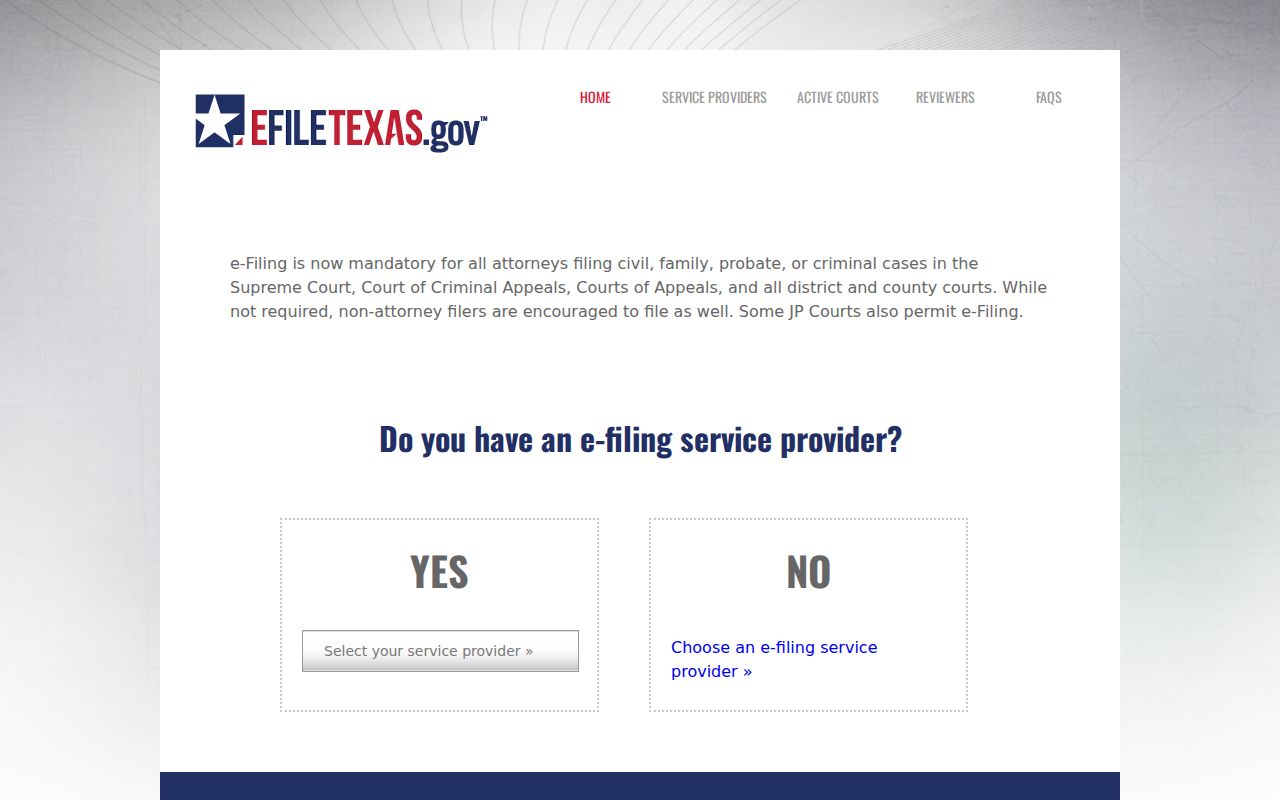
That screen helps you tell the difference between submitting a Childress County civil filing and searching the clerk's civil docket after acceptance. A filing workflow can hold private contact details, birth dates, Social Security numbers, and payment-account data. Their presence on an authorized screen does not make them fit for publication.
Types of Civil Cases on the Docket
Civil record families in Childress County span several courts. Official OCA reports sort district civil work into real-property, eminent-domain, injury, product-liability, malpractice, motor-vehicle injury, contract, tax, and consumer or commercial debt categories. Family matters cover divorce and other domestic cases. County and justice courts add probate, guardianship, small claims, and other work assigned by law.
- Contract, debt, consumer, and commercial disputes
- Real-property, title, tax, and eminent-domain matters
- Injury, damage, liability, and malpractice cases
- Divorce, family, and protective-order proceedings
- Probate, guardianship, small claims, and limited civil cases
Some categories carry stronger privacy rules. The docket may be public while one document or field stays sealed, confidential, or redacted.
Childress Property Needs Two Searches
The County Clerk links an LGS online "public records" system. But the county itself calls it an official and land-record convenience index. It is not a Childress County civil court docket search. A deed, lien, plat, or other recorded instrument found in LGS does not replace the lawsuit docket. That docket is kept by the trial clerk. The county also warns that an index works like a library catalog. It is not the underlying certified record.
Property case check: Search the civil cause with the court custodian, then search the land index separately for any recorded instrument tied to the result.
Type a civil cause number into the land-record system and you will likely get a false negative. Bring the case docket to the District or County Clerk. Use LGS only for its stated official-record purpose.
Settings and Hearings on Civil Dockets
Childress County posts no standalone public calendar. A civil docket may display an event date. But that entry can be reset or superseded later. The local divorce handout sends a filer to the District Court coordinator at 940-937-7070 after the waiting period. Have the cause number ready when you call. Also gather the filing date, waiver or final-decree status, service date, and answer status. For any civil setting, ask for the court, date, time, and courtroom or remote link. Get the judge, setting type, notice status, and whether the date is firm. Follow the actual order or notice over anything else. The Childress County court calendar process gives the full confirmation route. Request a past setting as a docket event. Do not infer it from a current calendar.
Local Divorce Filing Sequence
The District Clerk hands pro se filers a local sheet. It walks through a divorce start to finish. Bring an original petition plus two copies. The clerk assigns a cause number once the petition is filed. Citation or service follows. A 60-day waiting period runs before the coordinator call. On the money side, the sheet lists a $350 filing amount with a waiver option. Citation or service inside the county runs $450. The sheet also notes a standing-order copy charge if the clerk supplies it. Confirm those figures against the current clerk schedule before you pay.
The handout also draws a line. The clerk is not an attorney. It hands out neither forms nor legal advice. Watch the docket and you will see filing, issuance, service, answer, setting, and final decree appear as separate events. One step in the chain never proves the next one happened.
Local process: Petition › Cause Number › Service or Waiver › Waiting Period › Coordinator Call › Setting › Final Decree
Public Access to Civil Dockets
Texas access law runs on more than one track. According to OCA, the Public Information Act is not the usual route into a judicial case file. Ask the clerk or the proper court custodian for case records, under the rules that govern that case. Rule 12 deals mainly with administrative judicial records. Texas Rule of Civil Procedure 76a sets up a sealing process for certain court records. It cannot unseal material another law keeps confidential.
Key civil access rules:
Texas Rule of Civil Procedure 76a provides a notice, hearing, and findings process for sealing covered court records.
Texas Family Code chapter 58 addresses protected juvenile information.
OCA’s open-records policy explains the distinction between judicial records and ordinary agency information.
Expect limits on family, protective-order, juvenile, probate, guardianship, mental-health, and child-related materials. Ask the clerk whether a docket-only entry or a redacted copy can be released instead.
Troubleshoot Childress Civil Results
A blank result can mean many things. It might be a pre-digital file, the wrong clerk, a wrong case category, a spelling variation, a sealed matter, or a gap in portal coverage. Start with the exact cause number. If you search by name, narrow it down by court, date range, and category. Then call the clerk and say which public source you already checked.
For a document request, name the court, the cause number, and the event date. Add the document description and whether you need certification. Asking for "all documents" invites cost and confusion. A sharper request points to the signed final judgment or a docket-only register. It asks for certified and noncertified prices side by side. The District and County Clerks offer no email or fax request channel. Check the county office hours and confirm a delivery method before you send private data.
Childress Civil Totals Need Labels
OCA's district activity summary offers context, not a live docket. Its Childress row counts civil and family workload. Columns cover beginning-pending, reactivated, added, disposed, inactive, and ending-pending cases. The first civil segment opens at 874. It closes at 981. The family segment beside it runs from 653 to 700. Keep the PDF's grouped headings attached to any number you quote.
These totals name no party and cannot confirm a live case. For a specific Childress County civil docket, rely on the clerk's record.